
Course Progress
50%
Course Progress
CC and BCC: What Do They Mean in Emails?
It's Day 20, and today we're going to explain two important features in email: CC and BCC. These options allow you to send your email to multiple people at once, but they work a little differently.
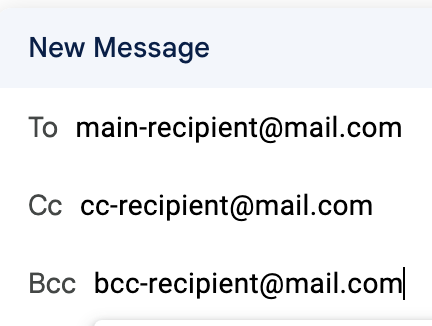
When you CC someone, it means you are sending them a copy of the email, but they are not the primary recipient. Everyone who receives the email can see who was included in the CC field. It's often used when you want to keep someone in the loop but don't expect a response.
For example:
You email a friend about plans, and CC another friend so they're also aware of the plans.
When you BCC someone, they will receive the email, but no one else will know they were included. The other recipients won't see the BCC addresses. This is useful for sending emails to a large group without sharing everyone's contact details.
For example:
You email a group of coworkers, but BCC your manager to keep them informed without alerting the rest of the team.
Understanding when to use CC and BCC helps you manage your emails effectively and ensures that everyone receives the information they need. It also helps maintain privacy when sending group emails.
Compose an email and practice using the CC and BCC fields. CC a friend on an email and send yourself a BCC to see how the recipient list looks.
Use BCC when sending group emails to protect the privacy of everyone's email addresses. It's especially important when emailing people who don't know each other.
