
Course Progress
50%
Course Progress
Stream Movies, Music, and More: An Introduction to Streaming Services
It's Day 50, and today we'll introduce you to streaming services—a popular way to watch movies, TV shows, and listen to music online. Whether you're looking for entertainment or information, streaming services provide endless options right at your fingertips.
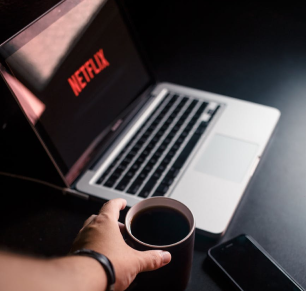
Movies and TV Shows: Services like Netflix, Hulu, Disney+, and Amazon Prime Video offer a wide variety of content you can watch anytime, without needing to download anything.
Music: Platforms like Spotify, Apple Music, and Pandora let you stream millions of songs instantly. You can create playlists, listen to albums, and discover new artists.
Podcasts and News: Apps like Spotify, Stitcher, or Apple Podcasts offer audio content that ranges from news updates to educational shows.
Sign up for an account: Many streaming services require you to create an account. Some offer free plans with ads, while others require a subscription for ad-free experiences.
Browse or search for content: Use the app's search function to find a specific movie, show, or song, or browse categories for new recommendations.
Play and enjoy: Once you find something you like, just click or tap Play to start watching or listening instantly.
Streaming services offer convenience and access to a massive library of entertainment without needing to purchase individual items. They're a great way to unwind, learn new things, or stay entertained.
If you're not already using a streaming service, sign up for a free trial of a platform like Netflix or Spotify. Explore the content, and try streaming a movie, show, or song.
Most streaming services allow you to download content for offline viewing or listening. This is perfect for trips where you might not have access to Wi-Fi.
