
Course Progress
50%
Course Progress
Keep Your Computer Clean: How to Properly Clean the Screen and Keyboard
It's Day 82, and today we'll talk about cleaning your computer screen and keyboard. Regular cleaning helps keep your computer looking great and ensures that it functions well.
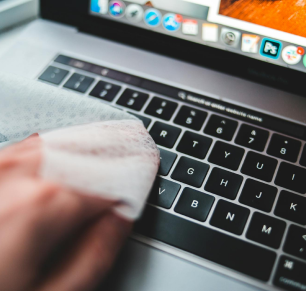
Screen: Use a microfiber cloth lightly dampened with water. Wipe the screen gently in a circular motion. Avoid using household cleaners as they can damage the screen.
Keyboard: Turn off your computer and gently shake the keyboard upside down to dislodge any dust or crumbs. Use a can of compressed air to blow out dust between the keys, and wipe the surface with a slightly damp cloth.
Keeping your computer screen and keyboard clean not only improves the appearance of your device but also helps prevent dirt from affecting its functionality. A clean keyboard reduces the risk of sticky keys and ensures smooth typing.
Clean your computer screen and keyboard today using the methods above. Be gentle to avoid damaging any sensitive components.
For tougher grime on your screen or keyboard, use a small amount of rubbing alcohol on a microfiber cloth. Never apply liquids directly to the screen or keyboard.
